Showing posts with label Jailbreak. Show all posts

Friday, August 23, 2013

NEW IPAD AND MINI THINNER WITH RETINA SET BY THE END OF THE TO LAUNCH


ipad mini and ipad


It’s that time of year again, folks, when “people familiar with the plans”, “unnamed sources in the supply chain who’ve been informed of the news”, and “those who know what’s going on but asked not to be identified for fear of a visit from shadowy figures in the small hours” start lobbing into the Apple-based rumor stew all sorts of scuttlebutt, with the words “thinner”, “lighter”, and even “bezel” usually found floating somewhere near the surface.
Coming (fairly) soon
Mini
We’ve already heard from DT’s Jeffrey Van Camp on the very latest iPhone gossip, but the iPad and iPad Mini are also in line for a refresh, likely coming “in the final three months of this year”, a Bloomberg report said Monday.
Citing “people familiar with the matter” (there, I’ve said it now), the report said the fifth-iteration of the full-size iPad will have “a body that more closely resembles the current iPad Mini,” likely resulting in a thinner bezel (bezel!) than it has now.
In another report Monday, the Wall Street Journal suggests the 9.7-inch iPad will sport a thinner design, made possible with the use of a film-based touch panel (beneath the cover glass) like the one found on the iPad Mini, instead of the thicker and heavier glass-based touch panel currently used.
This would also contribute to making the device a little lighter, bringing the iPad’s weight back down toward that of the iPad 2. The Wi-Fi-only third- and fourth-generation iPads tip the scales at 1.44 pounds (652 g) whereas the iPad 2 comes in at 1.33 pounds (601 g).
Backlighting utilizing a single LED light bar instead of the two LED light bars used in the current iPad will also help toward a lighter design for the next iteration of Apple’s slate.
The 7.9-inch iPad Mini, meanwhile, will come equipped with Apple’s high-resolution Retina display, Bloomberg said. This seems even more likely in light of the recent launch of Google’s new 7-inch Nexus 7, a tablet with a crisp, super-sharp display that’s wowing many a user.
Some commentators have suggested executives at Apple fear an iPad Mini with a Retina display may serve to cannibalize sales of the more lucrative full-size iPad, but with consumers apparently rather taken by the smaller form factor, it may be the only way to go.
Let’s face it, if the Mini’s makeover leaves out a Retina display, potential buyers who were eagerly awaiting the update with wallet at the ready may just quietly close it and look elsewhere.
Thursday, December 22, 2011

iPhone | How to Jailbreak Your iPhone Without Updating the Baseband (Mac) [5.0.1]

These are instructions on how to jailbreak your iPhone 3GS or iPhone 4 on iOS 5.0.1 without updating the baseband using RedSn0w for Mac. You may want to do this to preserve an unlock from a lower baseband version.

Please note this jailbreak is tethered for every device but the old bootrom iPhone 3GS which means you will need to connect your device to the computer each time you reboot. Also, it may be prudent to save your SHSH Blobs by following this tutorial before continuing if you haven't already.

If you want to jailbreak a lower firmware version you can find the appropriate tutorial here.


Step One
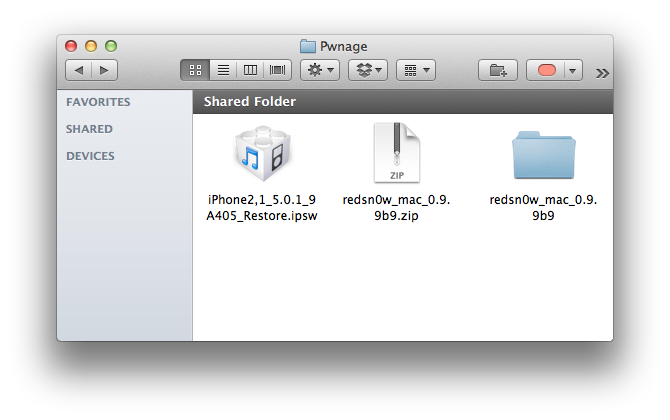
Create a folder on your desktop called Pwnage

Download RedSn0w 0.9.9b9d or higher from here and place it in the Pwnage folder. Likewise, download the 5.0.1 firmware from here and place it in the Pwnage folder.

Extract the RedSn0w zip file by double clicking it.


Step Two
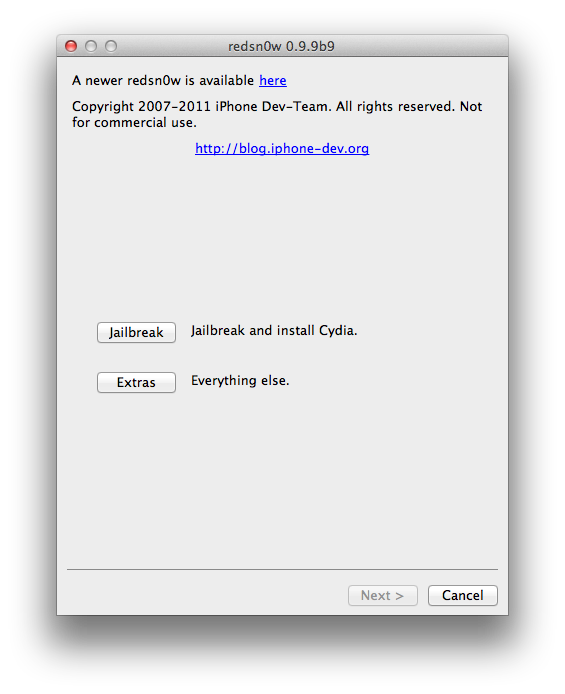
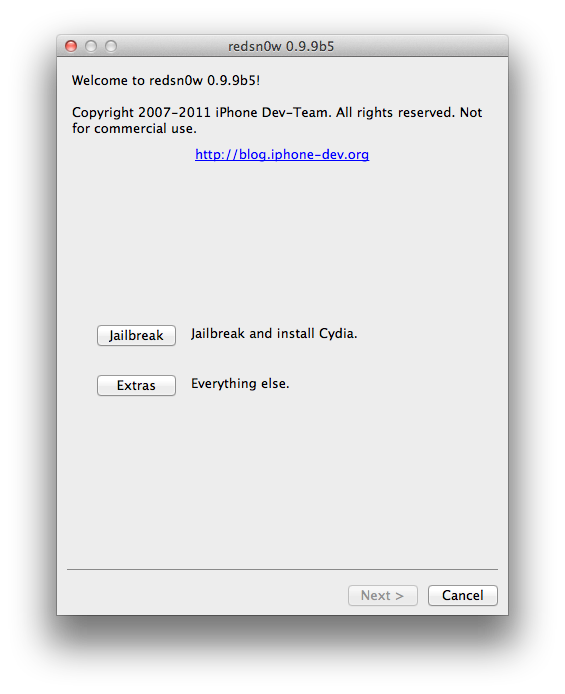
Launch the redsn0w application from the redsn0w folder we just extracted.


Step Three
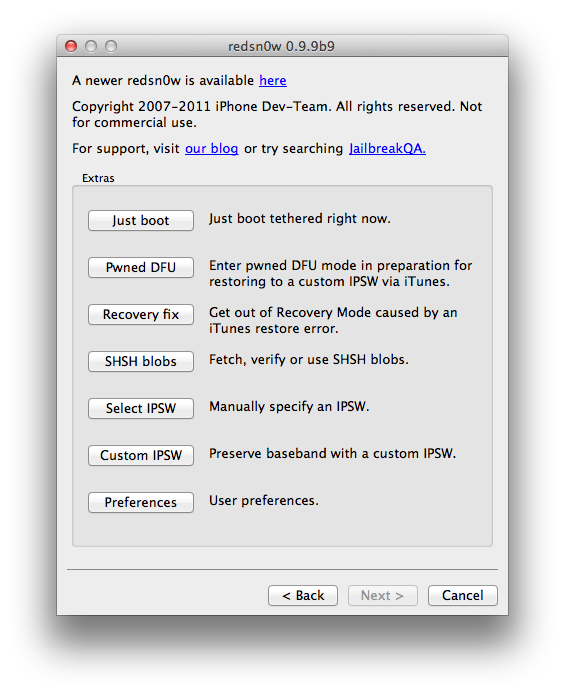
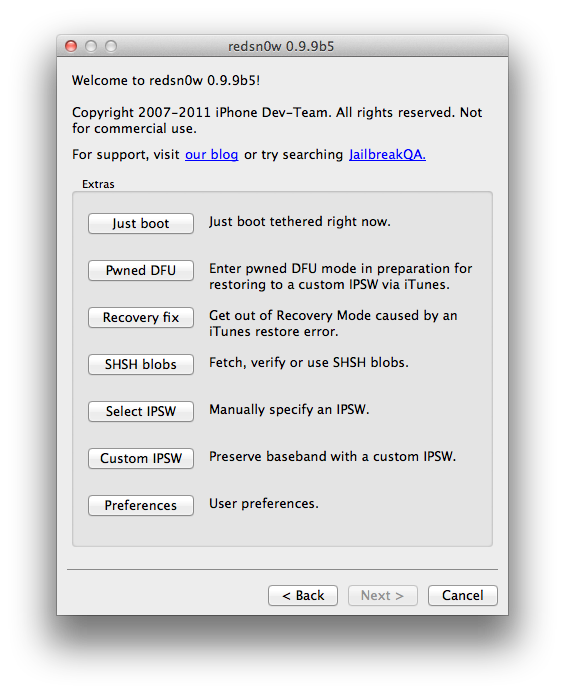
Click to select Extras from the main menu.


Step Four
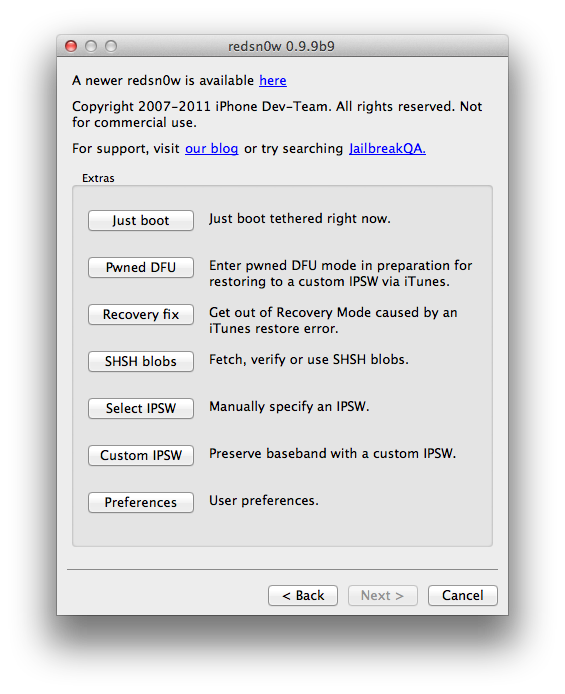
Click to select Custom IPSW from the Extras menu.


Step Five
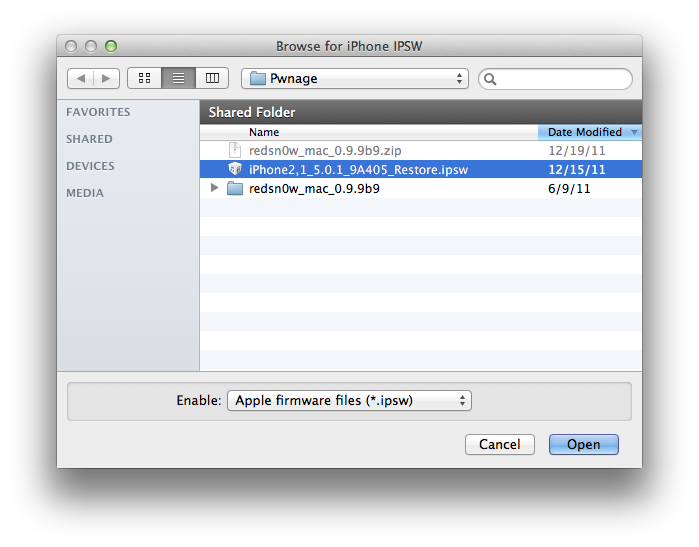
Navigate to the Pwnage folder on your desktop and select the IPSW we downloaded then click Open.


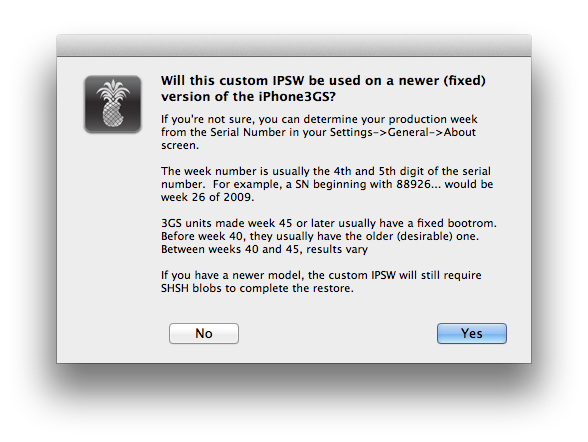
If you are using the iPhone 3GS you may be asked to identify whether you are on a newer or older model.


Step Six
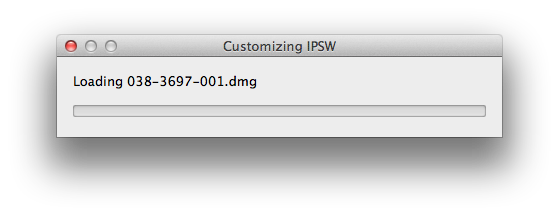
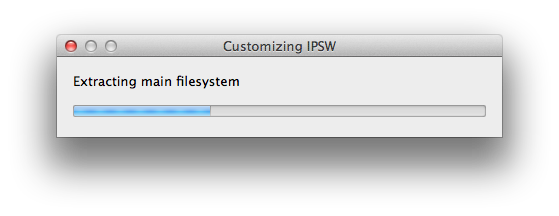
RedSn0w will now begin building a custom IPSW for you.


Step Seven
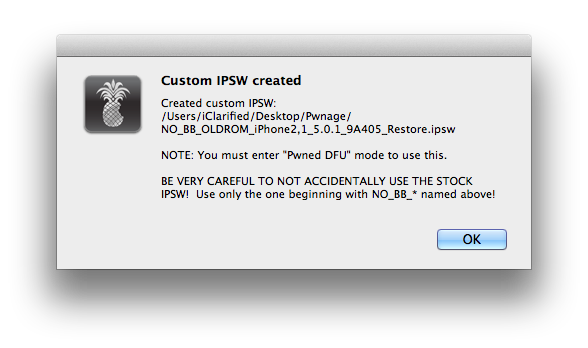
You'll be notified once RedSn0w has completed building your IPSW. Click the OK button.


Step Eight
Click the Pwned DFU button from the Extras menu.


Step Nine
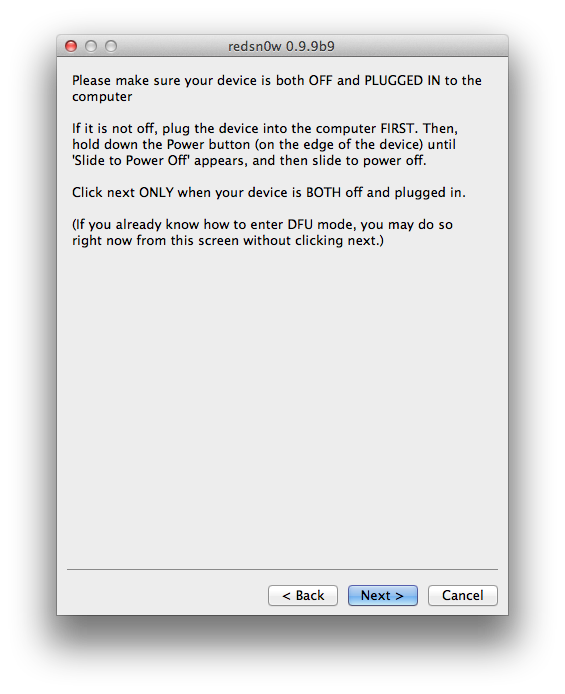
Plug your iPhone into the computer and make sure its OFF then click the Next button


Step Ten
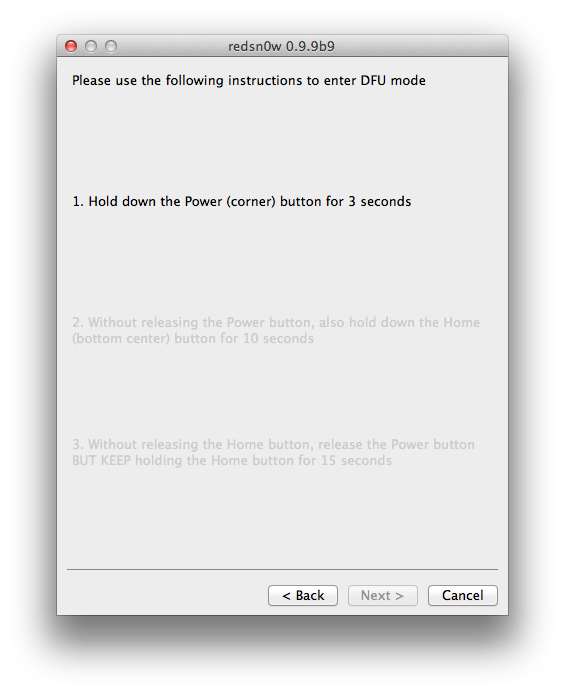
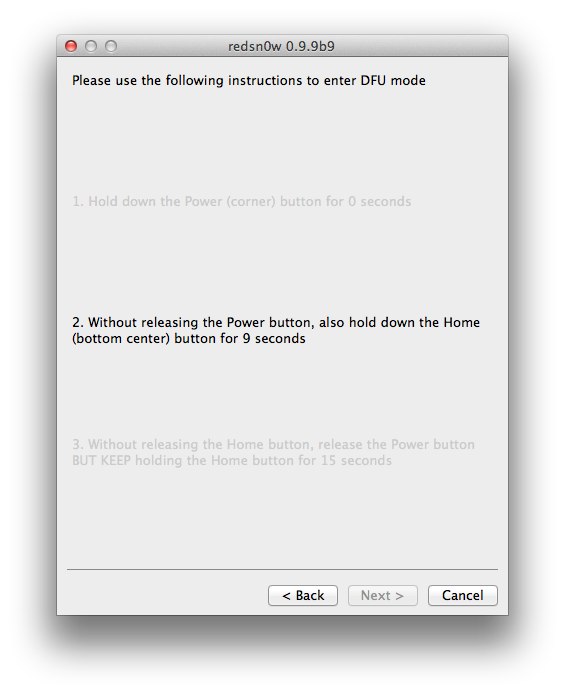
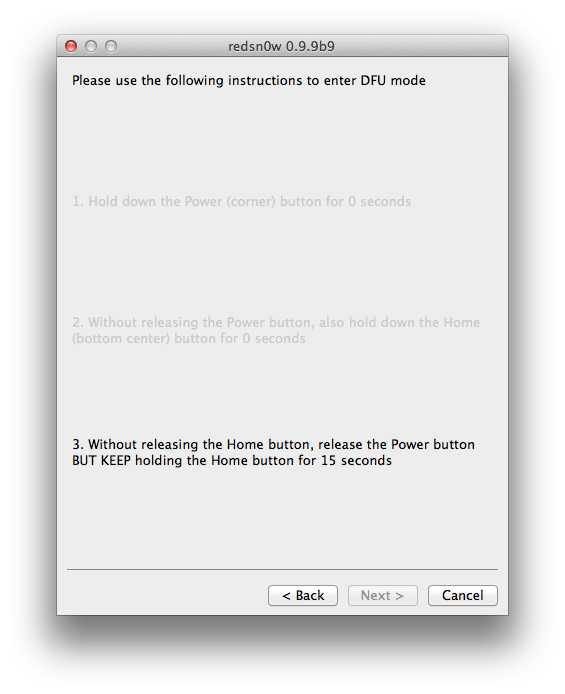
RedSn0w will now guide you through the steps to get into DFU mode. You can find more help with DFU mode here


Hold down both the Home button and the Power button for 10 seconds.


Release the Power button and continue holding the Home button until RedSn0w detects the device.


Step Eleven
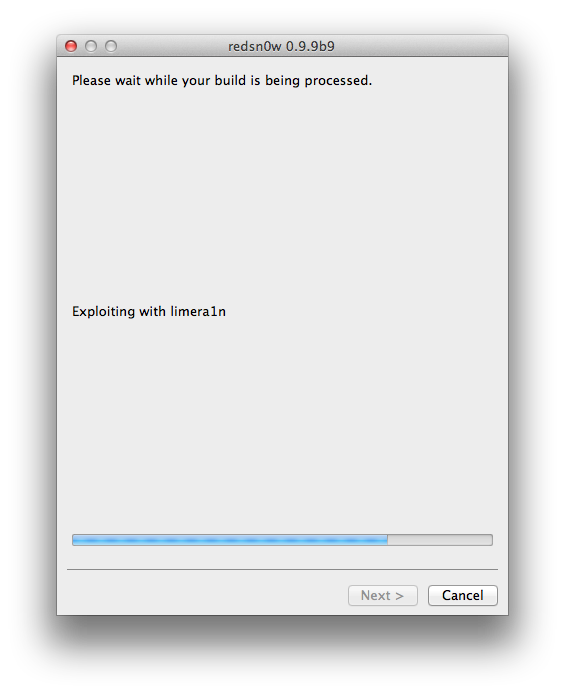
RedSn0w will run the LimeRa1n exploit.


Step Twelve
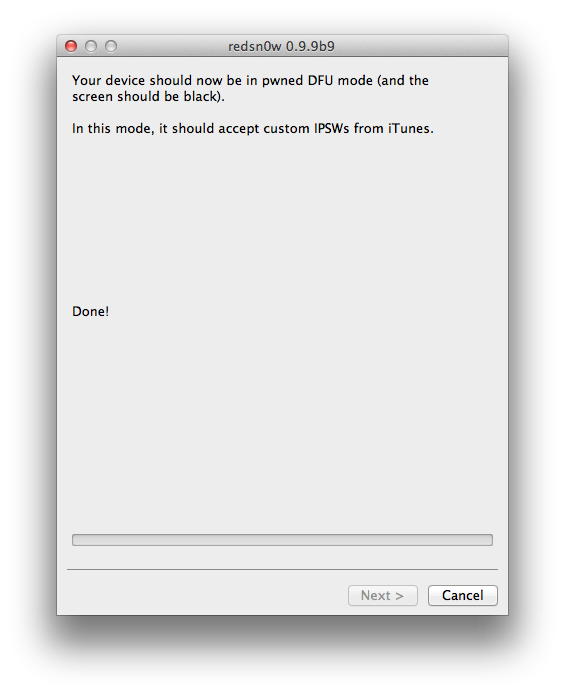
You'll then be notified that your iPhone is in Pwned DFU mode.


Step Thirteen
Launch iTunes by clicking its icon in your dock.


Step Fourteen
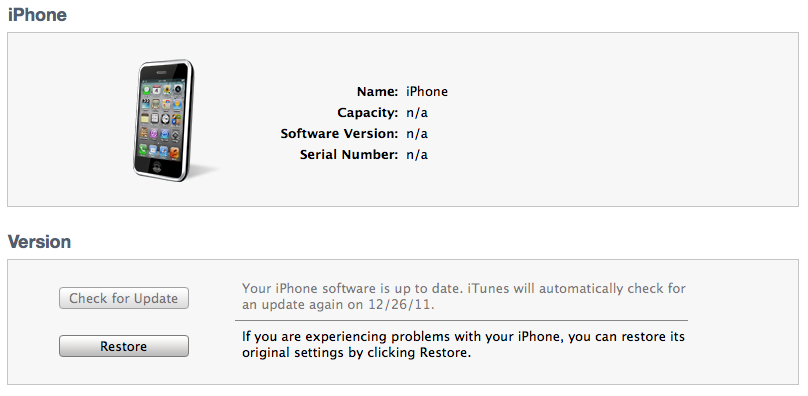
Select your device from the list on the left then under the Summary tab hold down the Option key and click the Restore button.


Step Fifteen
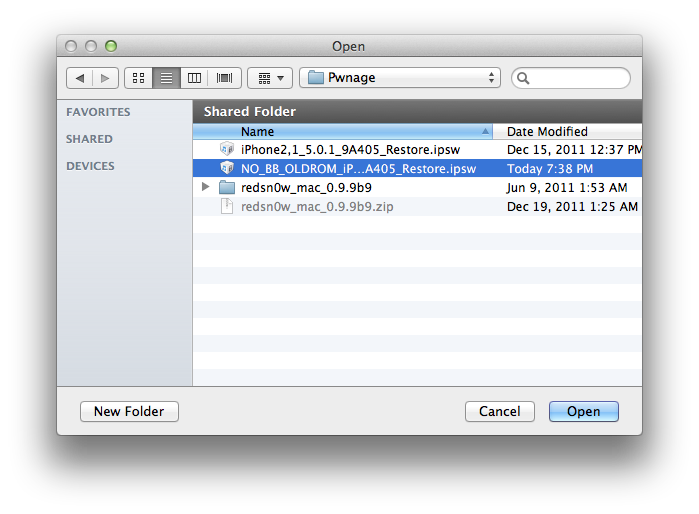
You will then be asked to select your IPSW for restore. Navigate to the Pwnage folder on your desktop and select the IPSW that begins with NO_BB then click the Open button.


Step Sixteen
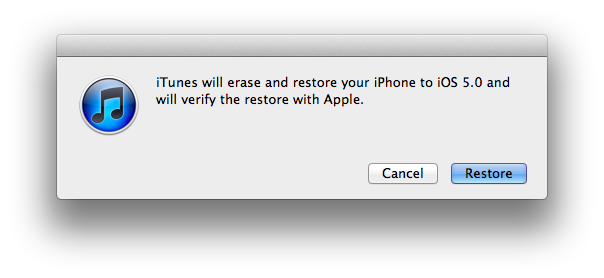
iTunes will now restore and jailbreak your device using the Custom IPSW.


JAILBREAK AND INSTALL CYDIA
Follow these instructions to jailbreak your device on the new iOS 5.0.1 firmware.
- iPhone 4
- iPhone 3GS

BOOT TETHERED
Once you have jailbroken you will need to rerun redsn0w to boot tethered.

Step One
From the main RedSn0w menu click the Extras button.


Step Two
Select Just boot from the Extras menu to just boot tethered.


UNLOCK:
If you have a supported baseband you can now install UltraSn0w to unlock your device. Instructions are here.


*As usual a big thanks to the iPhone Dev-Team and Geohot for their hard work and contribution to the iPhone community.

Monday, December 19, 2011

Apple News | Update on the Untethered Jailbreak for the iPhone 4S

Monday, 19th December 2011, 03:12 pm

Pod2g has issued an update on the progress of the untethered jailbreak for the iPhone 4S.

For those who haven't been tracking his progress, last week pod2g successfully untethered the iPhone 4, iPhone 3GS, iPod 4G, iPod 3G, iPad 1, and Apple TV 2 (4.4.3). He has now turned his attention to the iPhone 4S and the iPad 2.

Here are the news of the 4S week-end. The untether fails right now because I'm having processor cache issues. I'm close, but I can't figure out what happens. It certainly has something to do with the Cortex-A9 cache management.

I could sort it out quick, it's a matter of chance. I'll report you my progress tomorrow.


As usual we will keep you up to date with the latest. You can follow us via Twitter, Facebook, or RSS.