Showing posts with label iphone 4. Show all posts

Thursday, July 19, 2012

Next iPhone Confirmed to Use Nano-SIM, Carriers Already Testing?

Thursday, 19th July 2012, 03:07 pm 

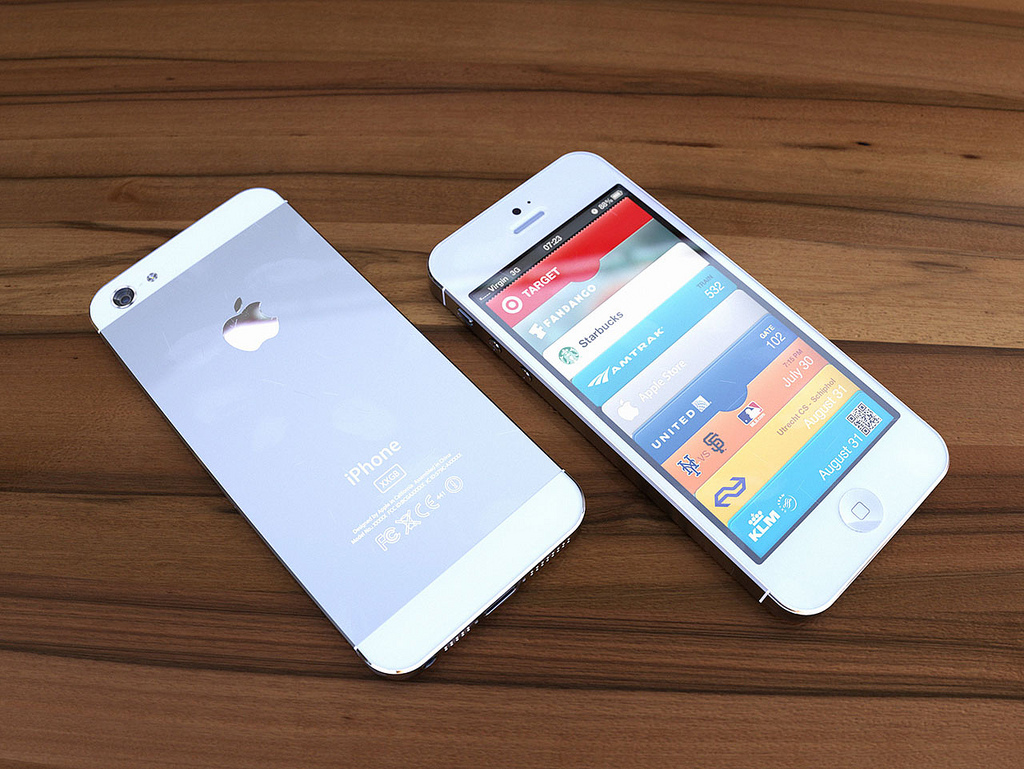
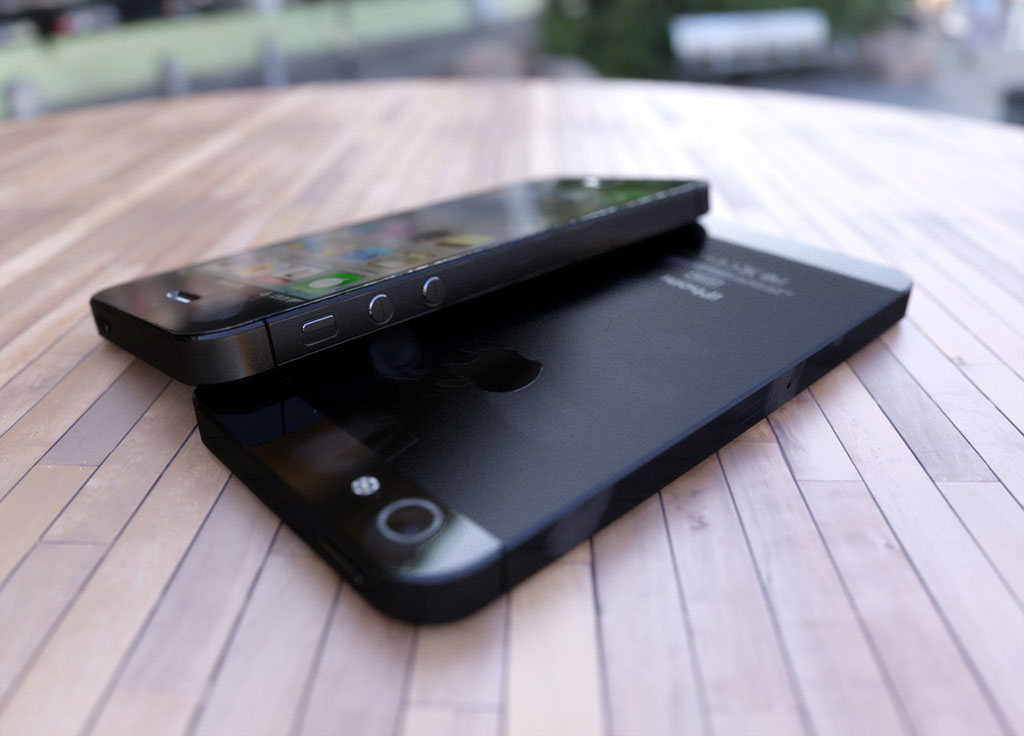
The next iPhone will reportedly use the new nano-SIM and carriers are already testing the smaller SIM card, according to BGR.

It's been rumored that the new iPhone will feature an even smaller SIM card than what's used now, and we can confirm that the new iPhone will feature these tiny SIM cards called nano-SIMs. Multiple carrier sources have exclusively told BGR that Apple is supplying nano-SIM adapters so its carrier partners can test how nano-SIMs work on their networks in standard test devices before they are widely deployed when the new iPhone is introduced. This includes AT&T.

BGR also recently reported that the 'iPhone 5' is in the EVT3 stage and feature 1GB of RAM, LTE, and NFC.

Read More


Tuesday, December 27, 2011

Jailbreak iOS 5.0.1 Untethered On iPhone, iPad, iPod touch (A4 Devices) Now Using Redsn0w 0.9.10b1 / Corona [Video Tutorial]

Resources: Redmond Pie

It has been nearly eight weeks since the first declaration by pod2g that he had found a bug that he believed could provide an untethered jailbreak for iOS 5. We find ourselves exactly fifty days down the line, and what I imagine has been a lot of sleepless nights for the developers involved, but we now officially have the release of an untethered jailbreak for all A4 devices running iOS 5.0.1.

iOS-5.0.1-WM

On December 22nd, pod2g announced via his official blog that would be passing all of his work and details across to the researchers at the Chronic Development Team partly to allow him to concentrate on progressing the development of an A5 jailbreak, and partly because he believed that the Chronic Dev Team could integrate and package all of his work into a distributable jailbreak.

It seems that his instincts were correct as only five days after that decision was made, we are seeing a release of a jailbreak for A4 devices on iOS 5.0.1 which has been implemented by both the Chronic Dev and iPhone Dev teams.

The iOS 5.0.1 untethered jailbreak contains the exact same set of files that pod2g provided to the Chronic Dev Team, and can be distributed as either a download via Cydia by searching for a package named ‘Corona’, for users who are already jailbroken tethered, or through a Redsn0w bundle for users who have running stock iOS and have been waiting for this untether.

At the time of writing, it is worth noting that this jailbreak currently only supports iOS 5.0.1 with Chronic Dev Team member p0sixninja tweeting out that 5.0 will follow soon after a number of small bugs have been eradicated and more testing has been carried out. Pod2g has also released some advice to A4 and A5 users advising not to update their devices to iOS 5.0.2 or 5.1 when released as this would cut their chance of a future jailbreak.

Note: The jailbreak released is supported on all A4 based (and below) devices like iPhone 4, 3GS, iPod touch 3G/4G and iPad 1. Newer A5-based devices like iPad 2 and iPhone 4S are currently not supported.

For Users On iOS 5.0.1 Tethered Jailbreak:

If you are currently operating an A4 device which has a tethered jailbreak using Redsn0w, Ac1dSn0w or Sn0wbreeze then you can simply launch Cydia from your Springboard and download a package named ‘Corona’ which will provide you with an untethered jailbreak.

photo (2)

For Users On Stock iOS 5.0.1:

If your device is running stock iOS 5.0.1 then you can use download the latest Redsn0w 0.9.10b1 to for either Windows or Mac to give yourself an untethered jailbreak, instructions for which can be found below.

untetheredJB501

Step 1: Download the latest version of Redsn0w from the links given above.

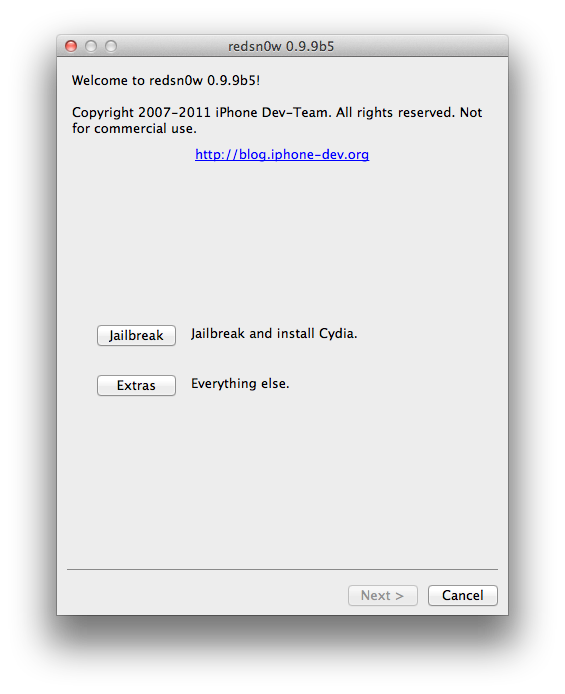
Step 2: Start Redsn0w, select "Jailbreak" then check "Install Cydia". Follow the onscreen steps to place your device into DFU mode.

Step 3: Wait for Redsn0w to apply the full untethered jailbreak!

Once done, your iPhone, iPad or iPod touch will be rebooted into fully untethered jailbreak mode!

Jailbreak iOS 5.0.1

iPhone 4 GSM, jailbroken on iOS 5.0.1

For Users Who Rely On Unlock:

For those of you who rely on Ultrasn0w or Gevey SIM unlock must preserve the old baseband using “Custom IPSW” option found in Redsn0w.

You can follow us on Twitter, add us to your circle on Google+ or like our Facebook page to keep yourself updated on all the latest from Microsoft, Google, Apple and the web.

Spire: First Legal Siri Port For iPhone 4, iPhone 3GS, iPod touch, iPad 1 Now Available On Cydia


Resource: Redmond Pie

Well known and respected developer chpwn has finally released first legal Siri port to public for older generation iOS devices. Dubbed as Spire, the port allows iPhone 4, iPhone 3GS, iPod touch 4G/3G and first-gen iPad users, jailbroken on iOS 5, to run Siri, which has official been available only for iPhone 4S users.

Available for free on Cydia right now, the download comes in at around 100mb in size as it uses a new method to obtain all the necessary files legally directly from Apple’s servers.

There is however a catch to it. It is not as easy to get it running as


it sounds. You will need to have your own Siri proxy setup, and an iPhone 4S for authentication to get it running on your older-gen iOS device. As explained by chpwn on his blog:

However, Spire is not a complete solution. Apple still requires authorization to use Siri, so information from an iPhone 4S is still required. To insert this information, Spire allows you to enter your own proxy server address. I’ve put up a list of my ideas on how you might get access to a proxy; hopefully you can figure something out.

To get a Siri proxy, chpwn suggests:

  • westbaer’s SiriProxy fork
    • Own an iPhone 4S too: Maybe you already own an iPhone 4S, and just want Siri on another device of yours. This is simple; you can just use the above proxy yourself.
    • Find a friend: Maybe your friend has an iPhone 4S and will let you use their authentication tokens (maybe in exchange for some cool SiriProxy plugins). Then, you can share the authentication. Or, maybe you gave your relative your old iPhone when you got your iPhone 4S: now you can share your token and give them Siri.
  • Pay up: It’s very likely that soon we will see for-pay services online to rent you some space on a Siri proxy, attached to one of their iPhone 4S devices. I haven’t seen anything like this yet, but I’ll keep my eye out, and I would encourage anyone who is interested to set something like this up.
  • And now for something completely different: As I suggested earlier, you might be able to replace Siri entirely. A simple method might be to use Google Chrome’s speech “API” hooked up to some code to decode the Siri requests and parse Google’s result. Or, someone could hook it up to some logic backends like many of the clones available on Android: the possibilities are endless.

To install Spire package, simply head over to Cydia, search for “Spire”, and install it. You don’t need to add any new repo as it is available on Cydia’s default BigBoss repository.

You will obviously need to have a jailbroken device to get it to work. For jailbreaking iOS 5 tethered using Redsn0w, you can follow our complete step by step guide posted here, or here if you want to use Sn0wbreeze on Windows. Since jailbreak on iOS 5 is currently limited to tethered boot only, you can install ‘SemiTether’ patch (instructions here) from Cydia to make your jailbreak semi-tethered on iOS 5. For those of you on iOS 5.0.1 can follow our instructions posted here on how to jailbreak using Redsn0w, or here using Ac1dSn0w (instructions with Ac1dSn0w Beta 2 here), or here using Sn0wbreeze.

Check out our iPhone Apps Gallery and iPad Apps Gallery to explore more apps for your iPhone, iPad and iPod touch.

Thursday, December 22, 2011

iPhone | How to Jailbreak Your iPhone Without Updating the Baseband (Mac) [5.0.1]

These are instructions on how to jailbreak your iPhone 3GS or iPhone 4 on iOS 5.0.1 without updating the baseband using RedSn0w for Mac. You may want to do this to preserve an unlock from a lower baseband version.

Please note this jailbreak is tethered for every device but the old bootrom iPhone 3GS which means you will need to connect your device to the computer each time you reboot. Also, it may be prudent to save your SHSH Blobs by following this tutorial before continuing if you haven't already.

If you want to jailbreak a lower firmware version you can find the appropriate tutorial here.


Step One
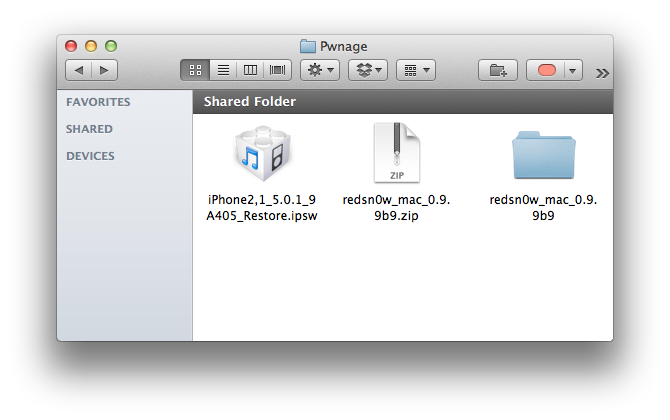
Create a folder on your desktop called Pwnage

Download RedSn0w 0.9.9b9d or higher from here and place it in the Pwnage folder. Likewise, download the 5.0.1 firmware from here and place it in the Pwnage folder.

Extract the RedSn0w zip file by double clicking it.


Step Two
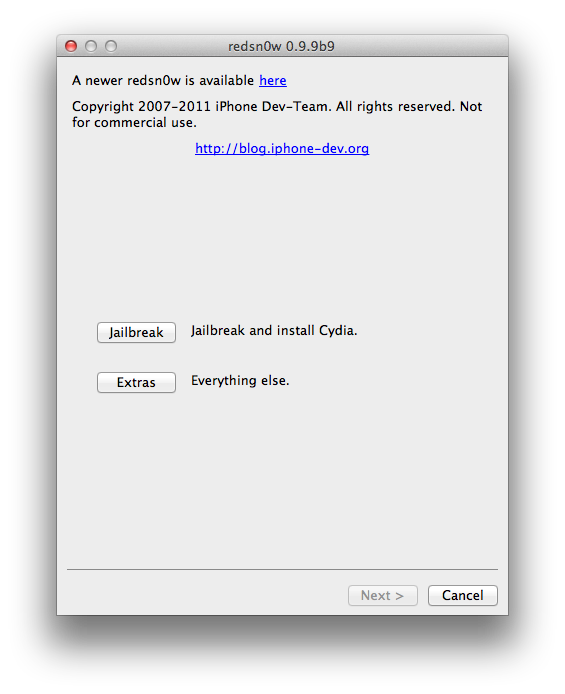
Launch the redsn0w application from the redsn0w folder we just extracted.


Step Three
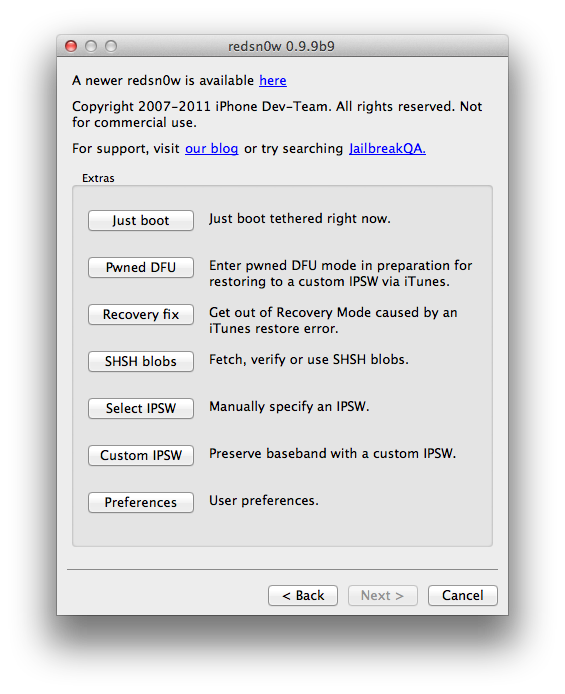
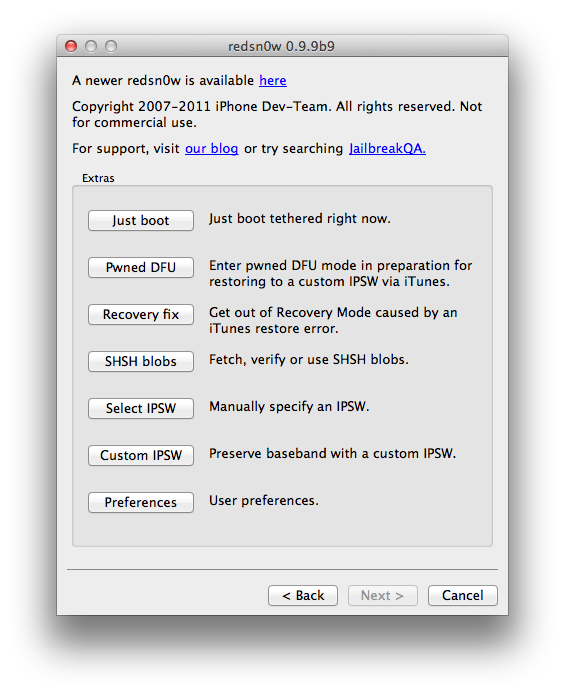
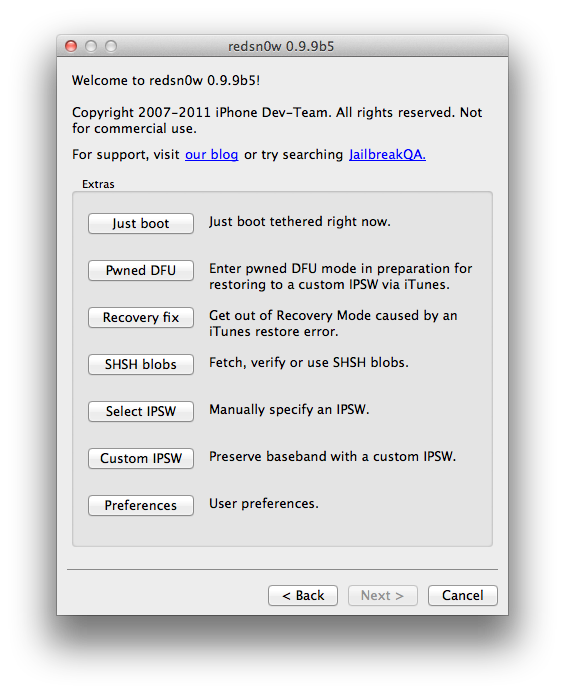
Click to select Extras from the main menu.


Step Four
Click to select Custom IPSW from the Extras menu.


Step Five
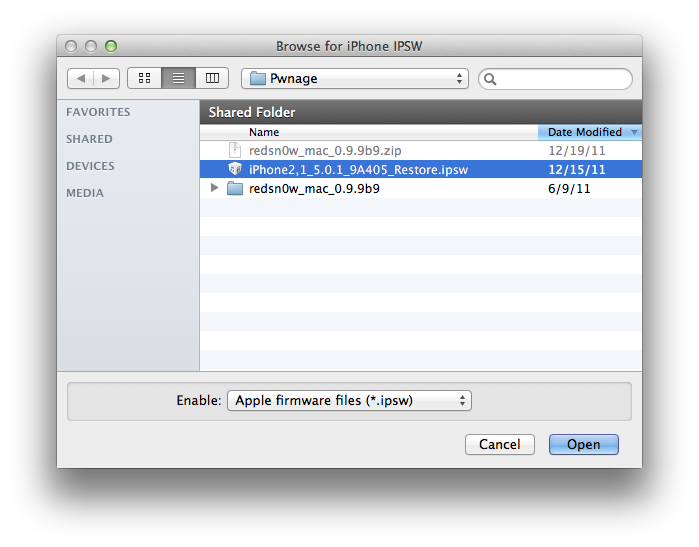
Navigate to the Pwnage folder on your desktop and select the IPSW we downloaded then click Open.


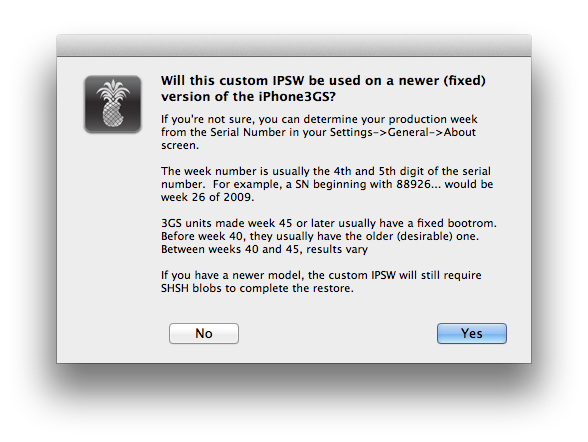
If you are using the iPhone 3GS you may be asked to identify whether you are on a newer or older model.


Step Six
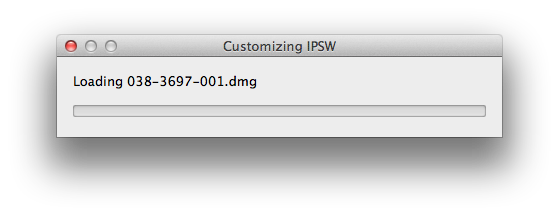
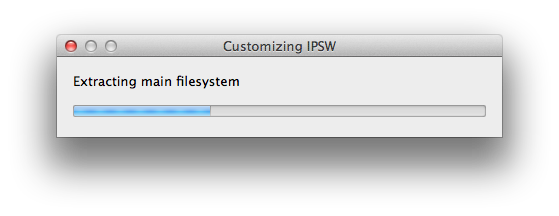
RedSn0w will now begin building a custom IPSW for you.


Step Seven
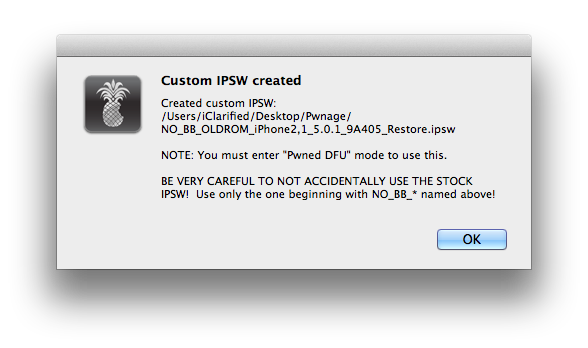
You'll be notified once RedSn0w has completed building your IPSW. Click the OK button.


Step Eight
Click the Pwned DFU button from the Extras menu.


Step Nine
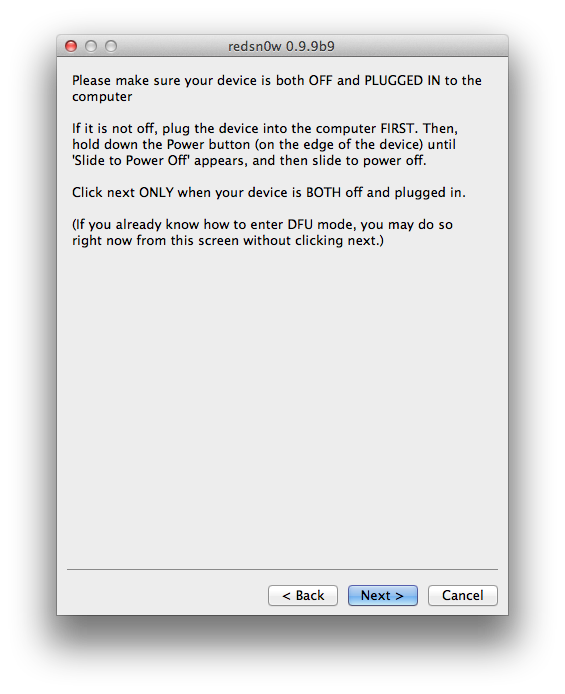
Plug your iPhone into the computer and make sure its OFF then click the Next button


Step Ten
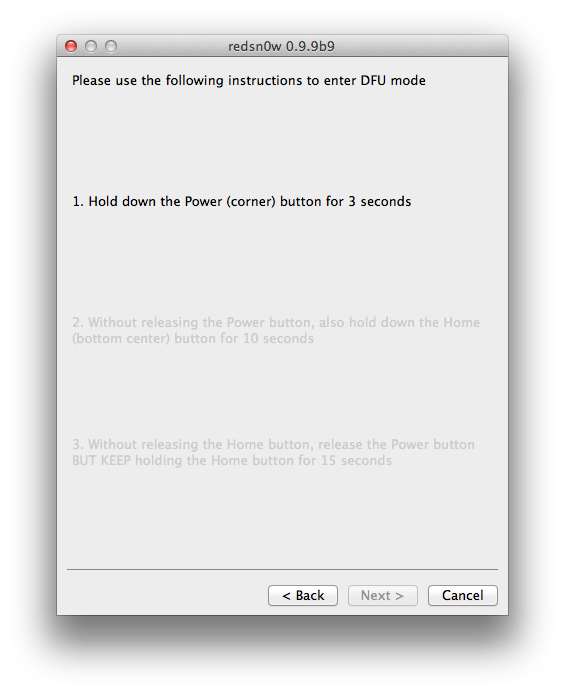
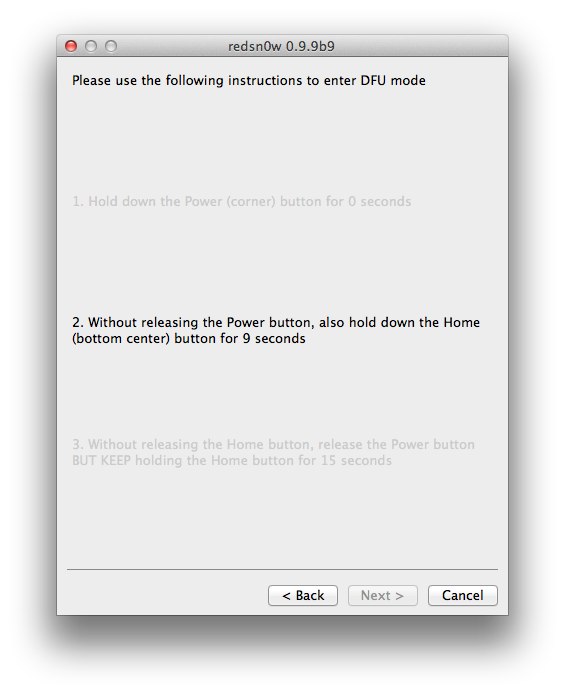
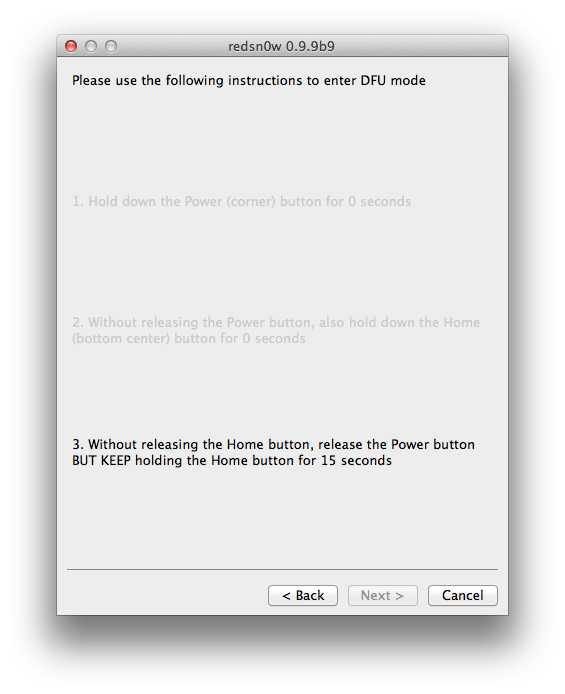
RedSn0w will now guide you through the steps to get into DFU mode. You can find more help with DFU mode here


Hold down both the Home button and the Power button for 10 seconds.


Release the Power button and continue holding the Home button until RedSn0w detects the device.


Step Eleven
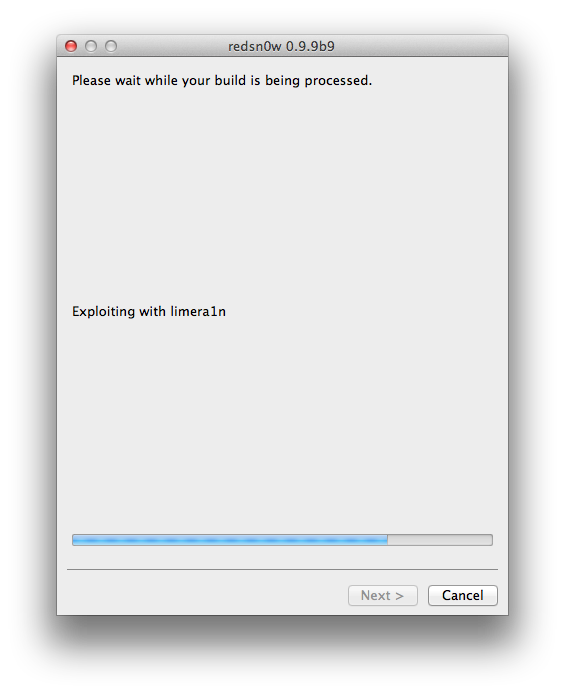
RedSn0w will run the LimeRa1n exploit.


Step Twelve
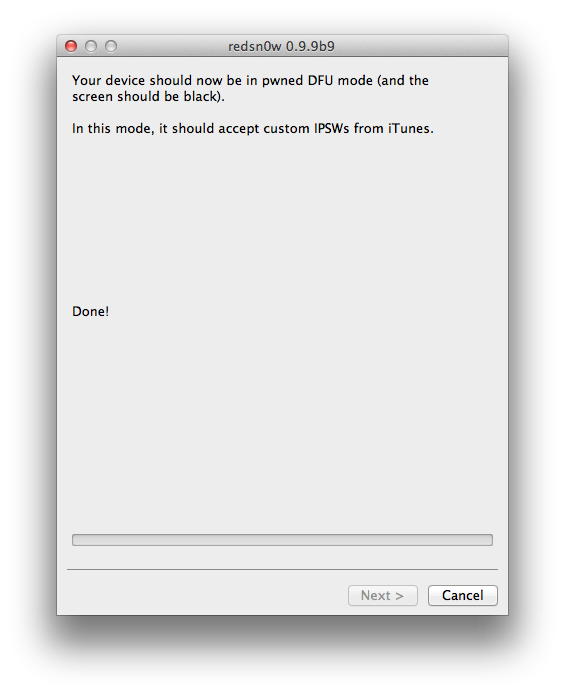
You'll then be notified that your iPhone is in Pwned DFU mode.


Step Thirteen
Launch iTunes by clicking its icon in your dock.


Step Fourteen
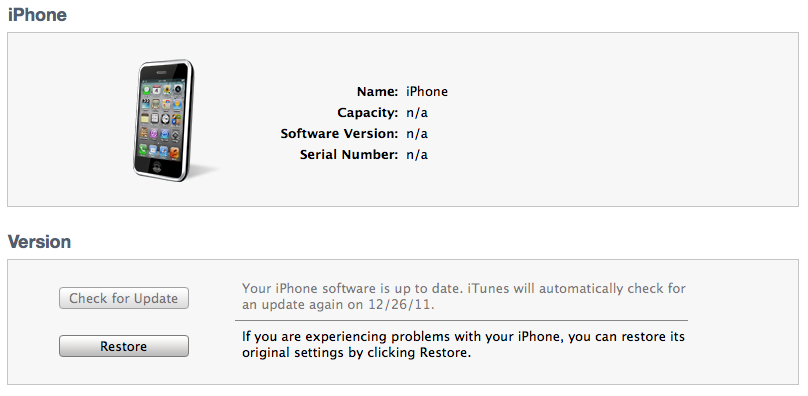
Select your device from the list on the left then under the Summary tab hold down the Option key and click the Restore button.


Step Fifteen
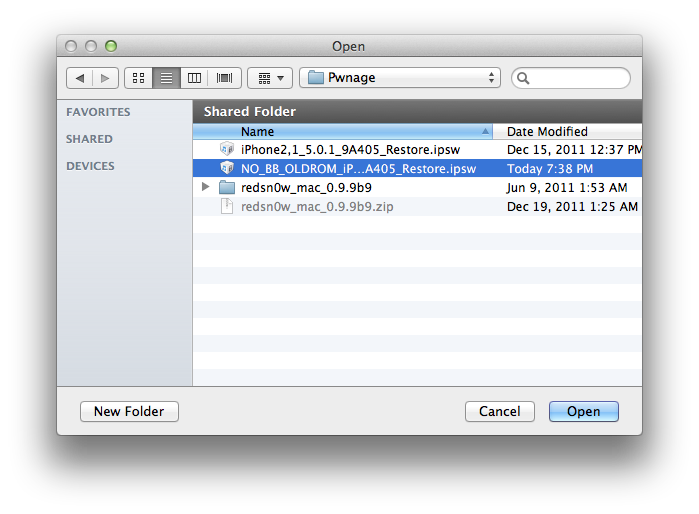
You will then be asked to select your IPSW for restore. Navigate to the Pwnage folder on your desktop and select the IPSW that begins with NO_BB then click the Open button.


Step Sixteen
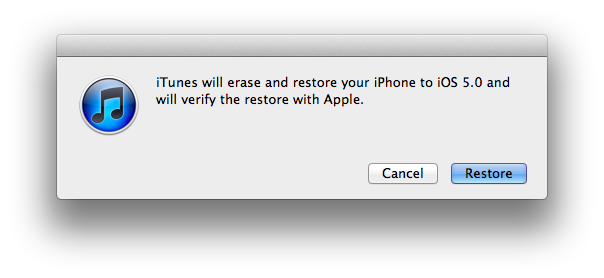
iTunes will now restore and jailbreak your device using the Custom IPSW.


JAILBREAK AND INSTALL CYDIA
Follow these instructions to jailbreak your device on the new iOS 5.0.1 firmware.
- iPhone 4
- iPhone 3GS

BOOT TETHERED
Once you have jailbroken you will need to rerun redsn0w to boot tethered.

Step One
From the main RedSn0w menu click the Extras button.


Step Two
Select Just boot from the Extras menu to just boot tethered.


UNLOCK:
If you have a supported baseband you can now install UltraSn0w to unlock your device. Instructions are here.


*As usual a big thanks to the iPhone Dev-Team and Geohot for their hard work and contribution to the iPhone community.

Monday, December 19, 2011

Apple News | Update on the Untethered Jailbreak for the iPhone 4S

Monday, 19th December 2011, 03:12 pm

Pod2g has issued an update on the progress of the untethered jailbreak for the iPhone 4S.

For those who haven't been tracking his progress, last week pod2g successfully untethered the iPhone 4, iPhone 3GS, iPod 4G, iPod 3G, iPad 1, and Apple TV 2 (4.4.3). He has now turned his attention to the iPhone 4S and the iPad 2.

Here are the news of the 4S week-end. The untether fails right now because I'm having processor cache issues. I'm close, but I can't figure out what happens. It certainly has something to do with the Cortex-A9 cache management.

I could sort it out quick, it's a matter of chance. I'll report you my progress tomorrow.


As usual we will keep you up to date with the latest. You can follow us via Twitter, Facebook, or RSS.